
Bodydot Has Been Updated for an Easier and More Convenient Experience
Many Bodydot users have shared feedback while reviewing their results reports:
“I wish the results were easier to understand.”
“I’d like to see changes in common indicators across different assessments at a glance.”
To make results easier and more intuitive to understand, and to help you make better use of various indicators during consultations,
we’ve updated Bodydot with new features for a more convenient experience.
Here’s a look at the key features included in this update.
Quick Posture Assessment Has Been Added
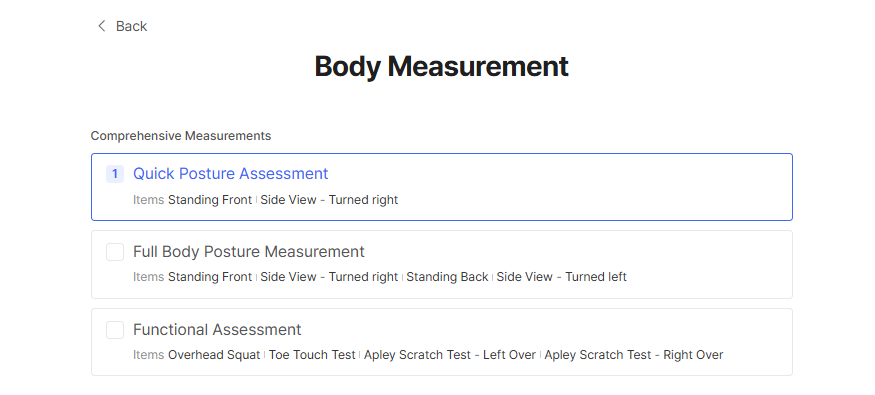
A Quick Posture Assessment has been added to the Comprehensive Assessment.
The Quick Posture Assessment includes two views—Front and Left Side—and the results are presented in an easy-to-read report format.
With an intuitive overview of the analysis results, it can help general users and non-professionals better understand their posture.
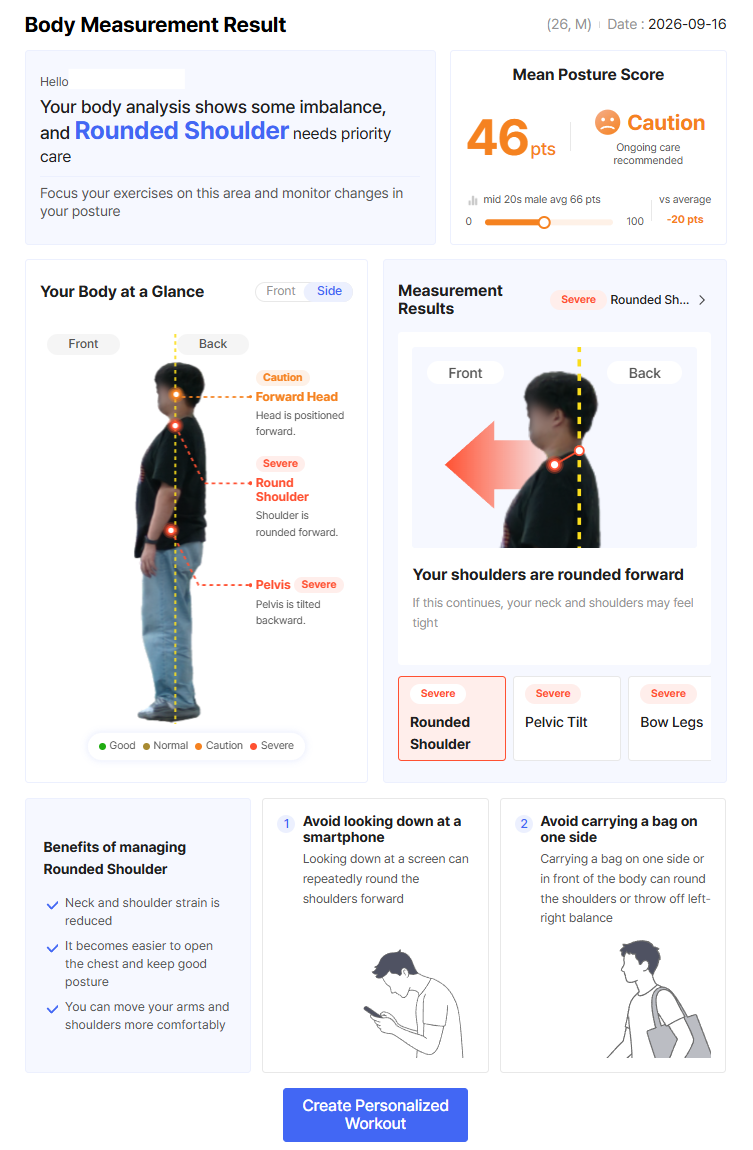
1. Displays the single indicator with the most significant deviation.
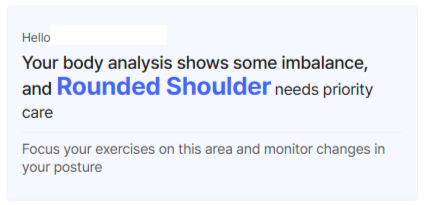
Members can quickly identify which areas of their posture to focus on first, while trainers can start consultations around key areas of concern rather than explaining every analysis result in detail.
2. Compare Results with Average Scores by Age and Gender
Rather than looking at an individual score alone, users can better understand their results in context by comparing them with average scores based on age and gender.
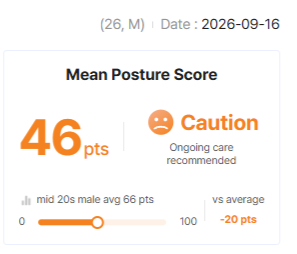
In the latest Quick Posture Assessment, the posture evaluation criteria have been expanded from the previous two levels—Normal/Abnormal—to four levels: Good, Fair, Caution, and Severe.
Previously, scores were categorized as Normal or Abnormal based on a 60-point threshold. With this update, the score ranges have been further divided, making it easier to understand your current posture status at a glance.
The Results Report Screen Has Been Updated
The analysis image is now positioned on the right, with arrows added to make postural alignment easier to identify.
Key posture indicators, such as Kendall posture and forward head posture, now show differences in centimeters (cm), making it easier to intuitively understand the degree of postural deviation.
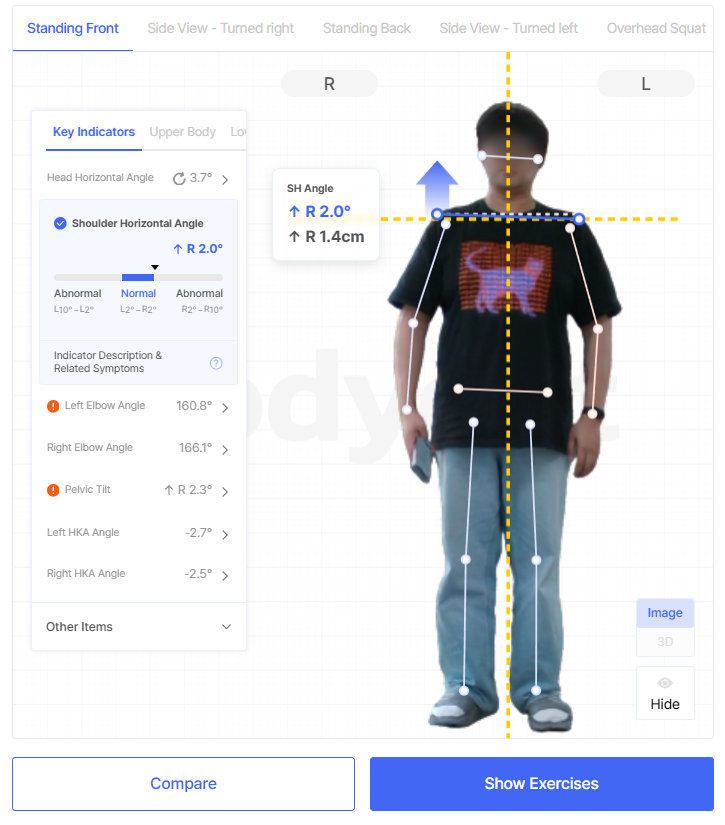
Even members who are not familiar with technical indicators or numbers can easily understand their posture condition through visual information.
Instead of simply reading out the results, trainers can explain them using images, measurements, and reference lines together, making consultations more clear and intuitive.
You can now compare the Comprehensive Assessment (Basic Posture) with individual assessment results.
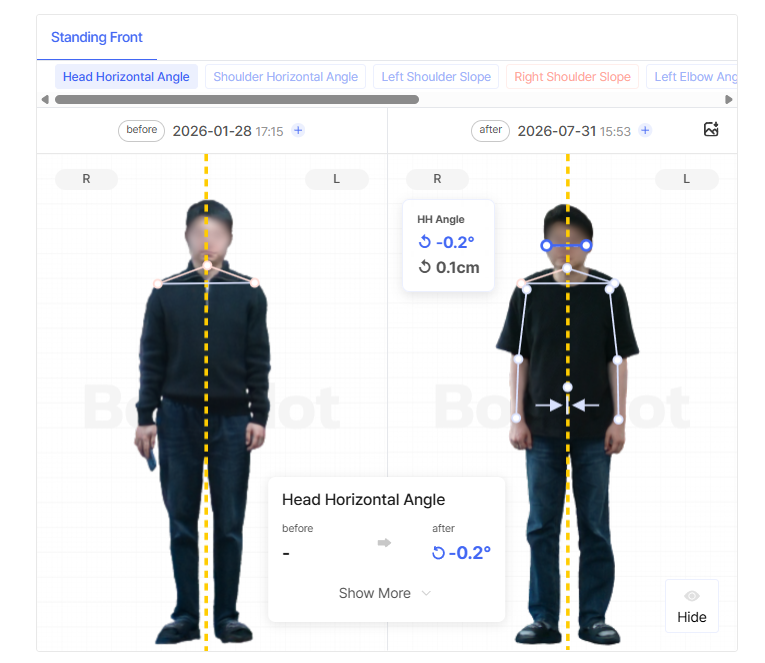
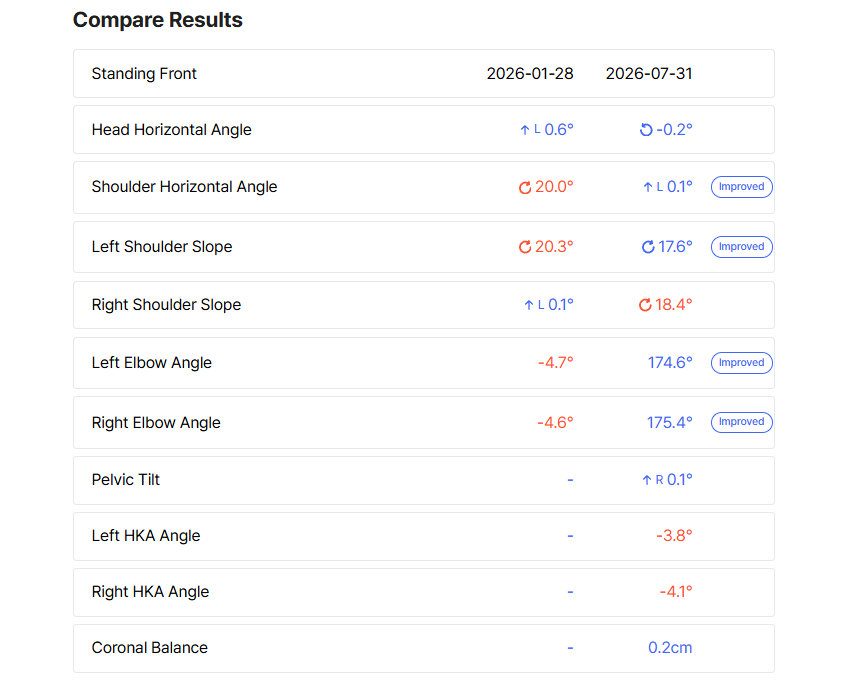
Previously, when comparing assessment results, Comprehensive Assessment results could only be compared with other Comprehensive Assessment results, and individual assessment results with other individual assessment results.
With this update, you can now view changes in common indicators across different assessments at a glance.
Even when the assessment methods differ, you can more easily track changes in posture and compare results.
Continuing to Improve Bodydot
Bodydot continues to improve its service by listening closely to the feedback of customers who use Bodydot in real-world settings.
We will continue to enhance the user experience and features so that you can use Bodydot more easily and conveniently.
Thank you.